Chats and templates
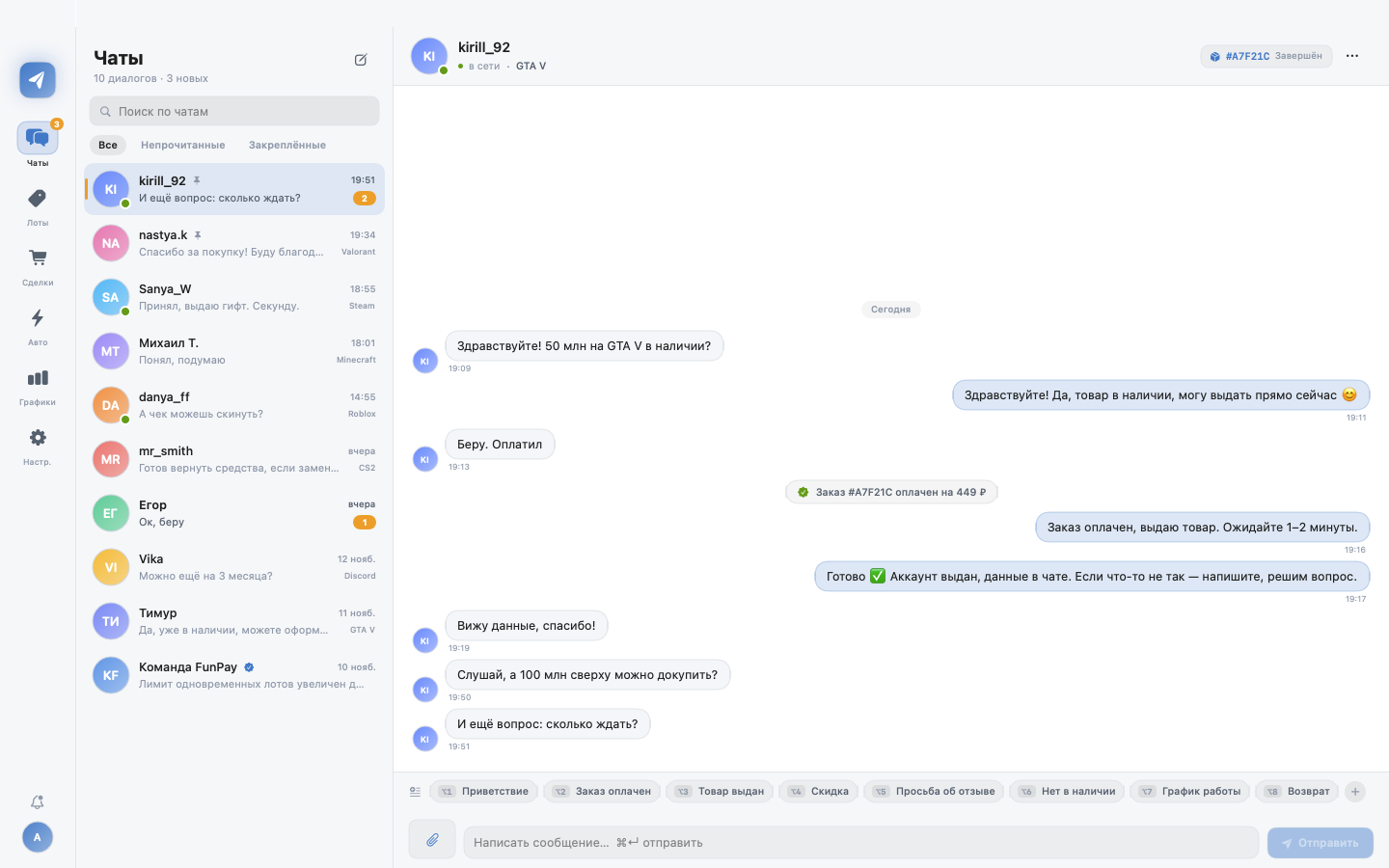
All dialogs, unread counters, pins and search. Templates with variables insert with ⌥1…⌥8.
Chats, templates, lots, auto-bump, auto-delivery and analytics — no browser tabs, no Electron, no wasted megabytes. A fast app that stays out of your way.
Six workflows that cover a seller’s day: reply, bump, deliver, count.
All dialogs, unread counters, pins and search. Templates with variables insert with ⌥1…⌥8.
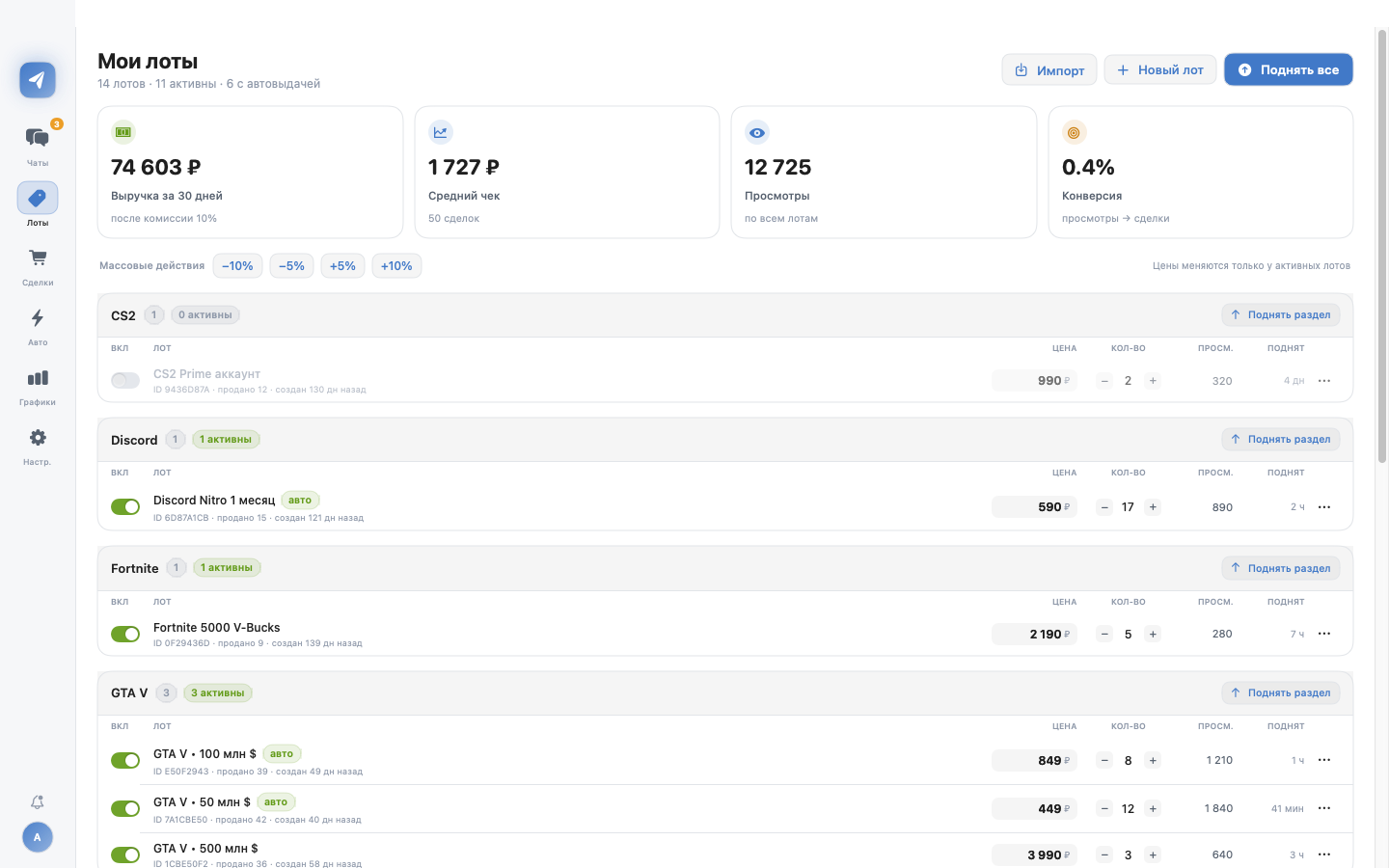
Toggle, edit price and quantity inline. Bulk −10%/+10% and one-click category bump.
Interval, random jitter and a run log. In live mode lots bump themselves while the app is open.
Per-lot key queues and first key delivered after payment. Stock and delivered counters.
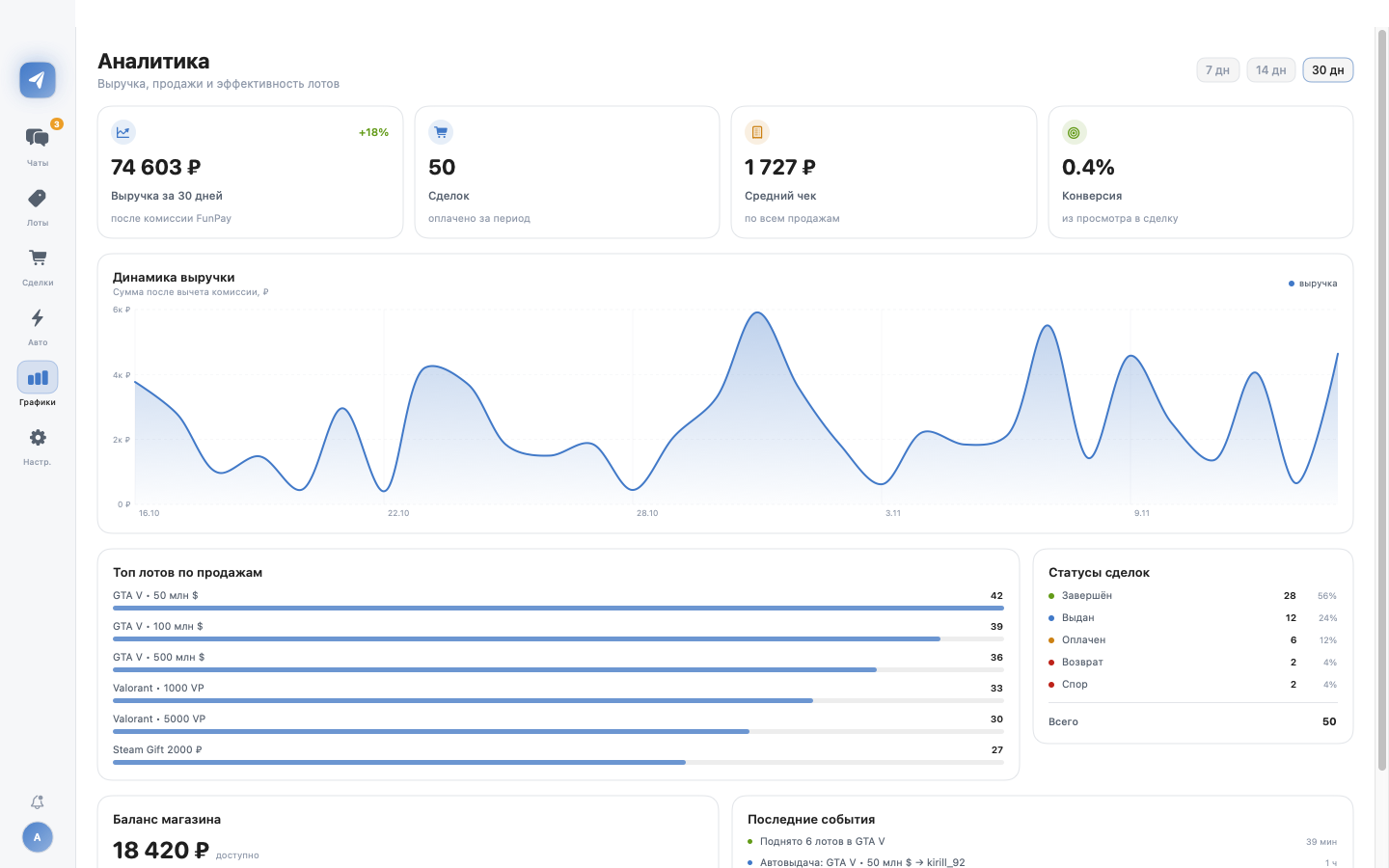
Revenue for 7/14/30 days, average order, conversion, top lots and order states with Swift Charts.
golden_key stays in the macOS Keychain and is sent only to funpay.com. No third-party servers or telemetry.
No “dark admin panel from 2010”: white background, FunPay blue #4384d0 and orange unread counters, just like the site.
Dialog list with unread counters, order card in the header, day separators and templates at hand. History loads 100 messages at a time; new ones arrive via a 5-second poll.
{order_id}, {key}
All lots grouped by game. Toggle a lot on or off, edit price and quantity inline — changes go straight to FunPay.
Revenue after fees, average order, conversion and top lots. Calculated from your own orders — no exports, no third-party services.
Unzip LotPilot.app and move it to Applications. No installer, no background daemons.
DevTools → Application → Cookies → golden_key. The key stays in your Mac’s Keychain.
Chats, lots and orders load automatically. Turn on auto-bump and go do something else.
A free 7-day trial, no card. Then monthly or lifetime.
Try everything: chats, lots, auto-bump, auto-delivery.
For daily work: automation, analytics and the AI assistant.
One payment, no renewals. For those who already know they’ll stay.
Checkout and key activation connect to the license server. Prices are in rubles.
The app uses the site’s regular requests and your golden_key, just like a browser. The key lives in the Keychain and is never sent anywhere except funpay.com. Any automation is at your own risk; the marketplace offers no guarantees.
Yes, the app is local: chats and auto-bump work while it runs. The license server is only needed for activation and renewal.
LotPilot is built with Swift 6 and SwiftUI: fast launch, native controls, Swift Charts and Keychain. The whole client is 4.7 MB instead of hundreds of megabytes of Chromium.
Planned: Windows on Rust + Slint, Android on Kotlin + Compose. Shared API logic will move into a Rust core so behavior matches on every platform.
A key like LP-XXXX-XXXX-XXXX-XXXX is entered in the app settings. The license server signs an Ed25519 token and the app verifies it locally — no permanent connection required.
The repository is private. Access belongs to the author; for partnership inquiries, message us on Telegram.
Demo mode opens instantly, no account needed. Live mode only requires a golden_key.